Watchwhere
Startup concept — 2026, ongoing
My role
Product designer & builder
Type
Startup concept
Timeline
2026 – ongoing
Platform
Responsive web
Built with
Claude Code, Next.js
Overview
An app that tells you which TV channel or streaming service is showing a game, based on where you are.
The problem. Finding where a game is shown takes a search every time, and the answer changes from country to country.
What I did. Designed the concept and built a working prototype with Claude Code in a couple of days, including the admin tools behind it.
Where it stands. Early stage: a working prototype on real data, with positive feedback from potential users, especially frequent travellers.
Where it started
Finding where to watch a game takes too long.
A problem I had myself
I live in London and watch a lot of sport. Before most games I searched to find which channel or streaming service was showing it. This is hard because:
- Broadcast rights are sold country by country
- Coverage changes at short notice
- The information is spread across broadcasters, streamers and social media
The idea: an app that uses your location to show what's on and where you can watch it.
A search before every game
Checking several sites just to find out where to watch.
Answers based on location
Show what's on and which channels or streaming services carry it in your country.
Positive feedback
In early calls, several people said they would use it, especially those who travel often.
Approach
From idea to prototype in a few days, with Claude Code.
Testing with real data
Using Claude Code, a prototype that would have taken days or weeks took a couple of days. This meant I could test ideas with real data instead of static mockups.
- Responsive web app built with Next.js, React and Tailwind
- Maps for finding venues
- Guesses your country from your device's time zone, with a manual switch
Define the question and the structure
Every section (Discover, Sports, Movies, TV, Where to Watch, Venues, Saved and Search) answers one question: what's on, and where can I watch it?
Design a calm, neutral interface
One font, neutral greys and a single blue accent, so live badges, channels and verified status stand out.
Build against real data
Sports fixtures, venues and TV schedules from TheSportsDB. Movie and TV details from TMDB and JustWatch.
Audit and iterate
An audit measured which sports, competitions and countries were covered, and why gaps existed, to set priorities.
Trust
The information must be accurate.
Deciding what not to show
A guide that is sometimes wrong is not useful. The key decisions were about what not to show.
The site never shows unverified information as confirmed, and never guesses that a match is live.
Checked before it's shown
Imported broadcast data stays hidden until someone reviews and approves it.
Says when it isn't known
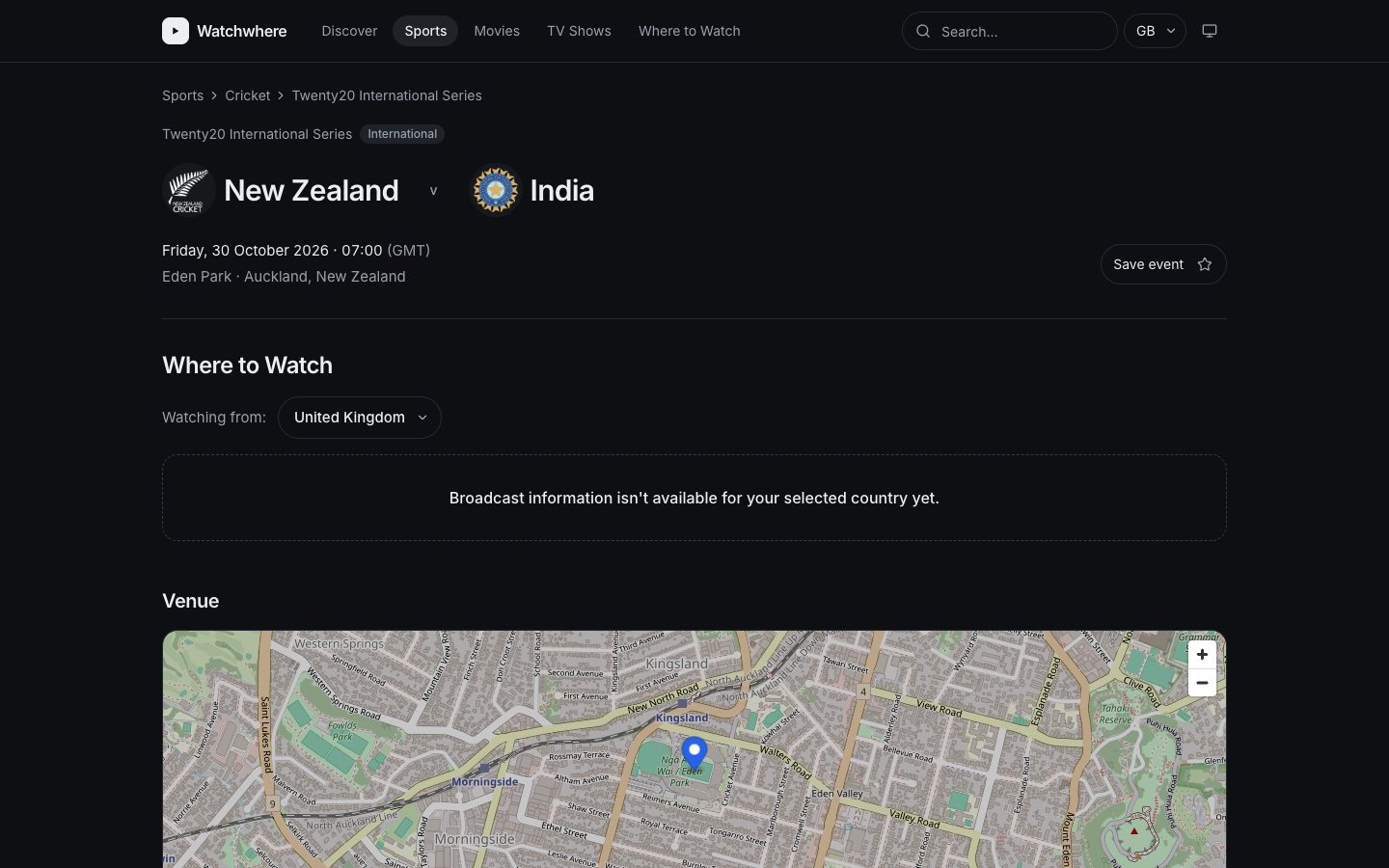
Without a verified listing, the page says: "Broadcast information isn't available for your selected country yet."
Old information is marked
Listings not checked in 7 days (or 12 hours before kick-off) show as outdated.
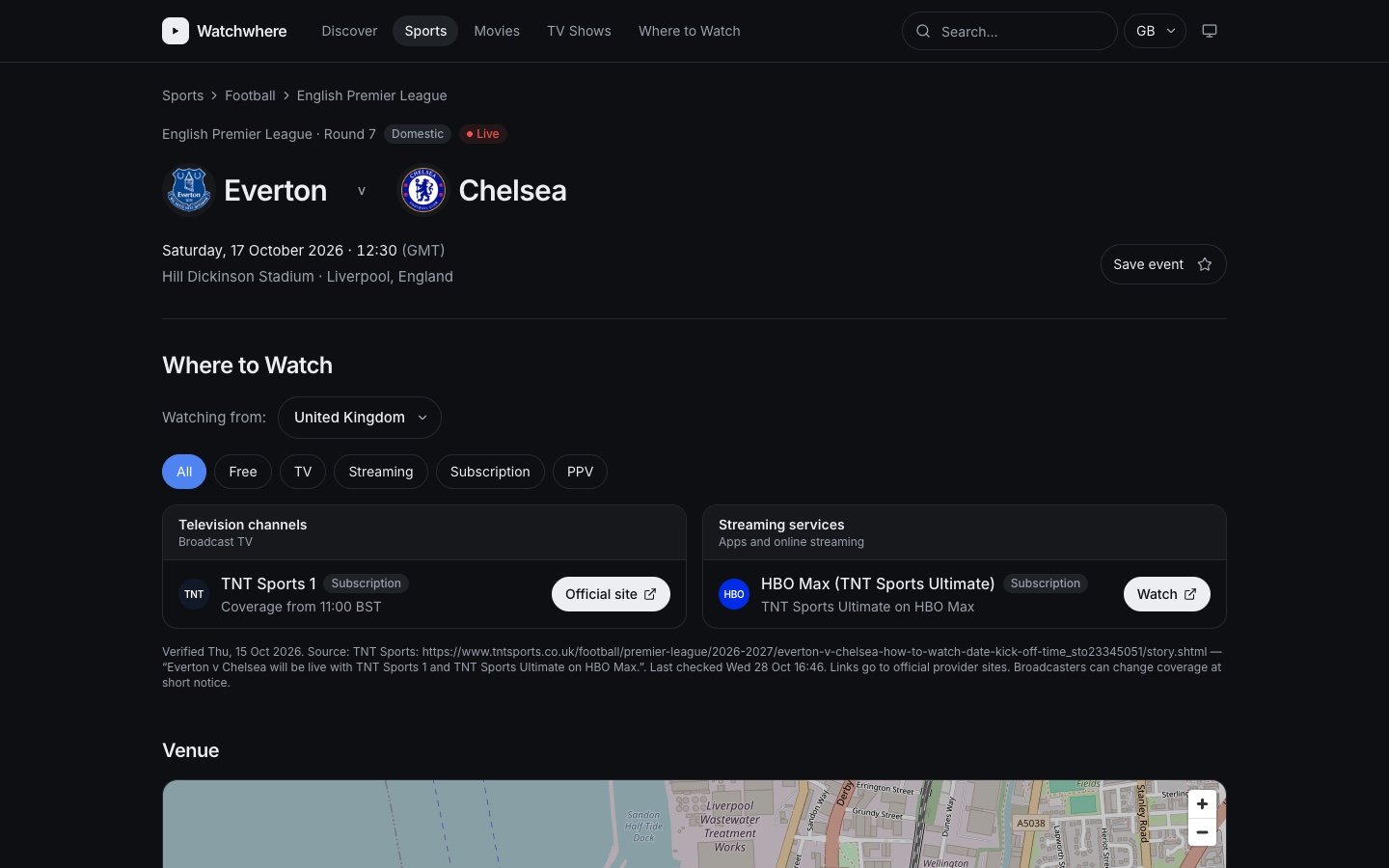
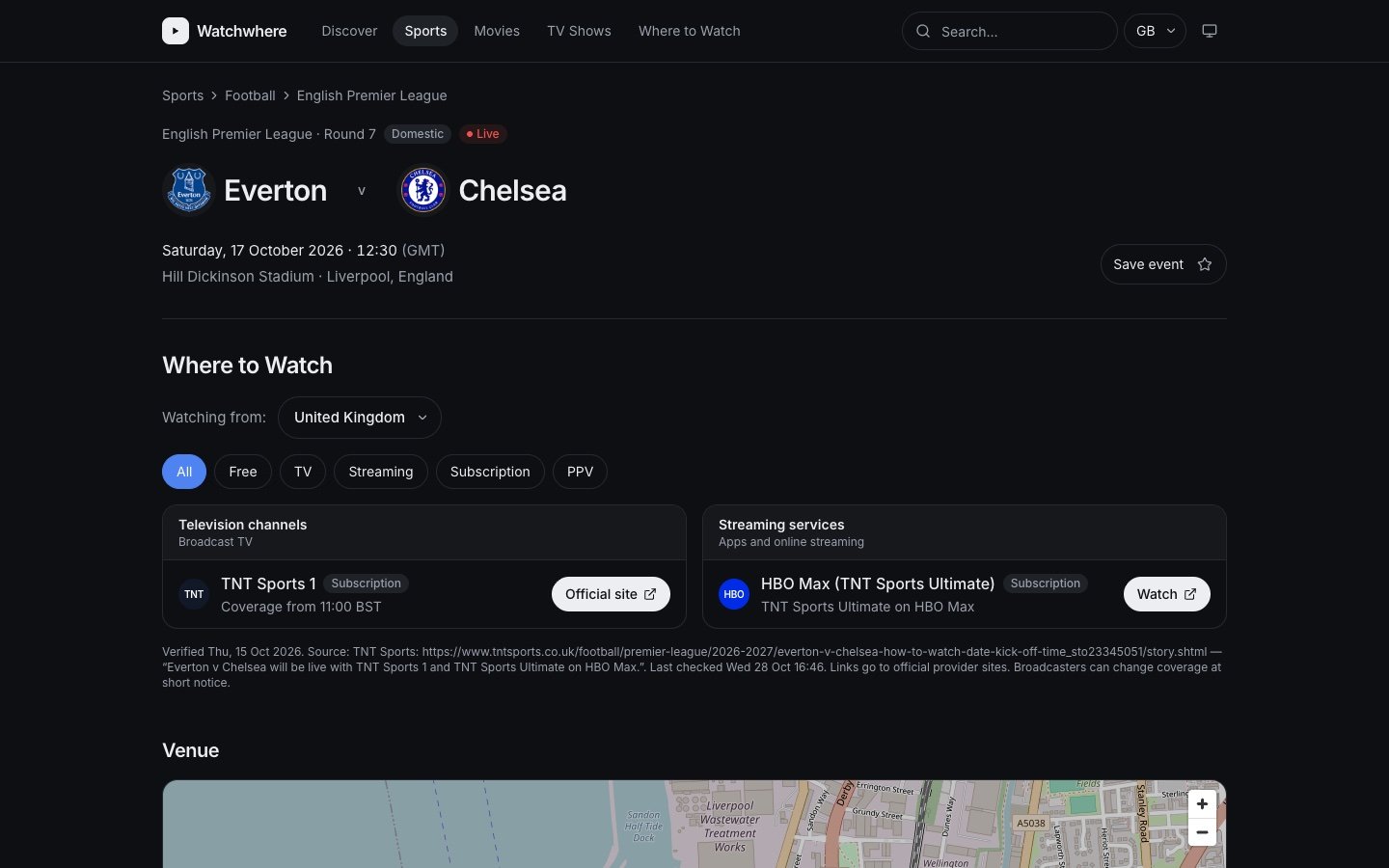
Every listing shows its source
Each listing shows where it came from, when it was last checked, and links to the official site.
Key screens
Key screens.
The main screens
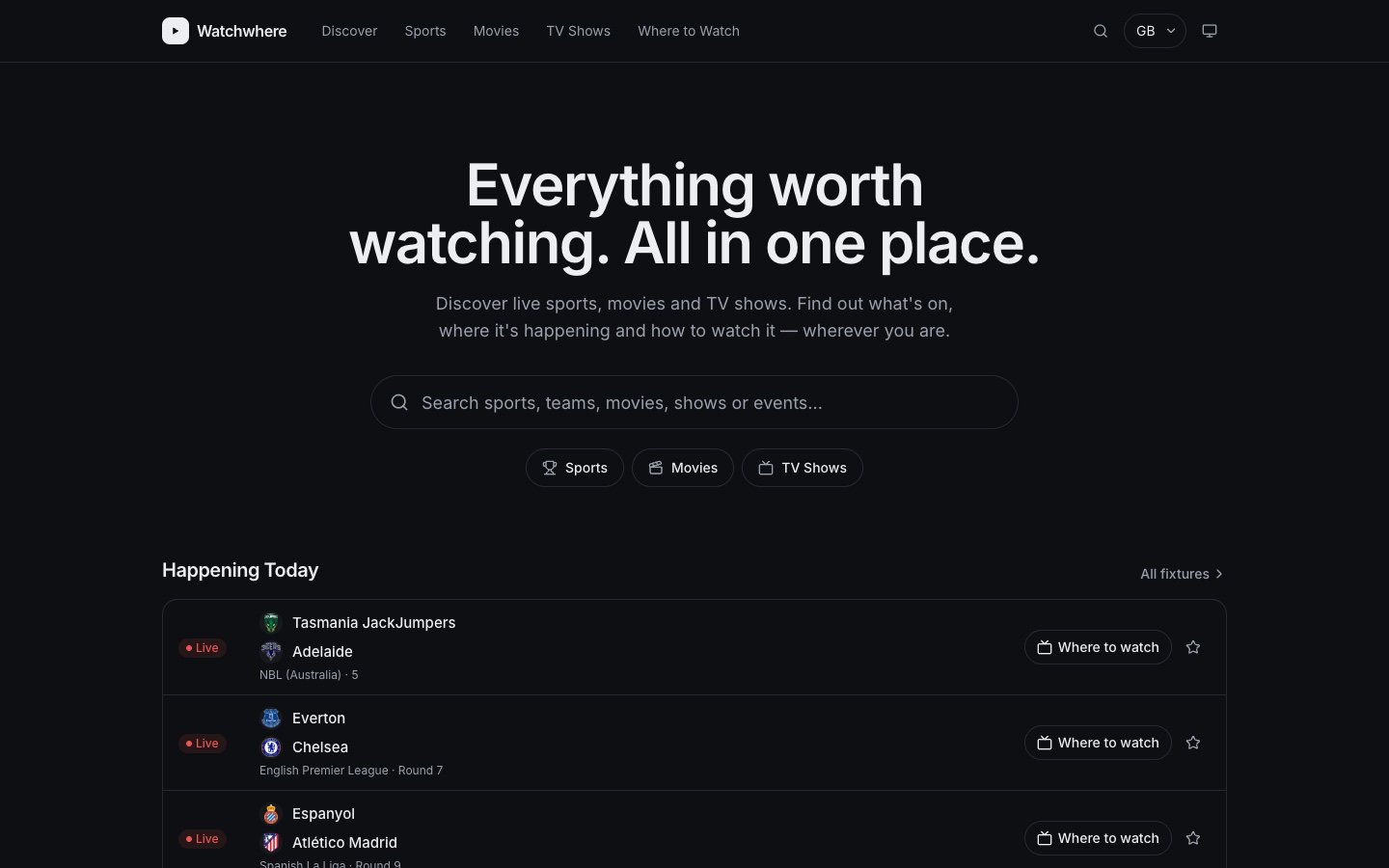
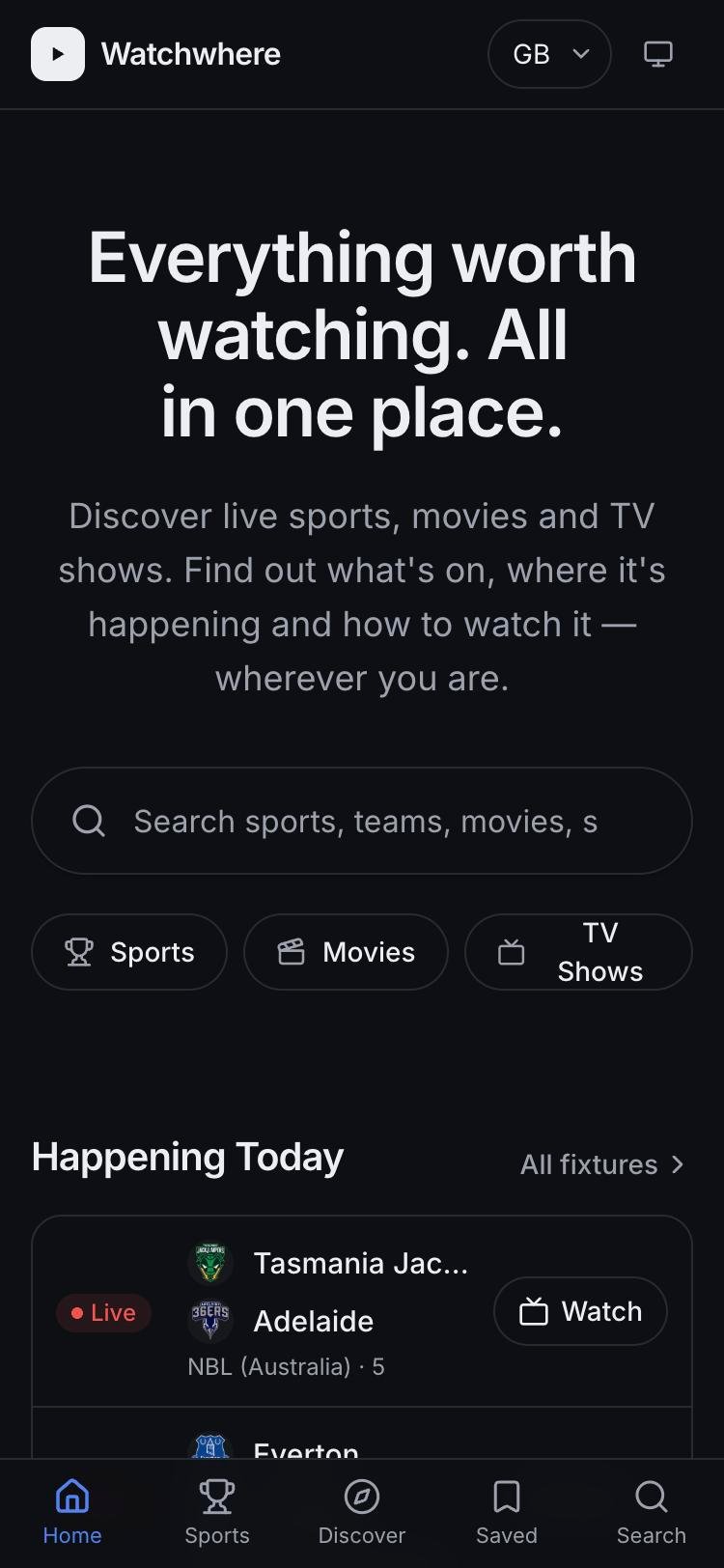
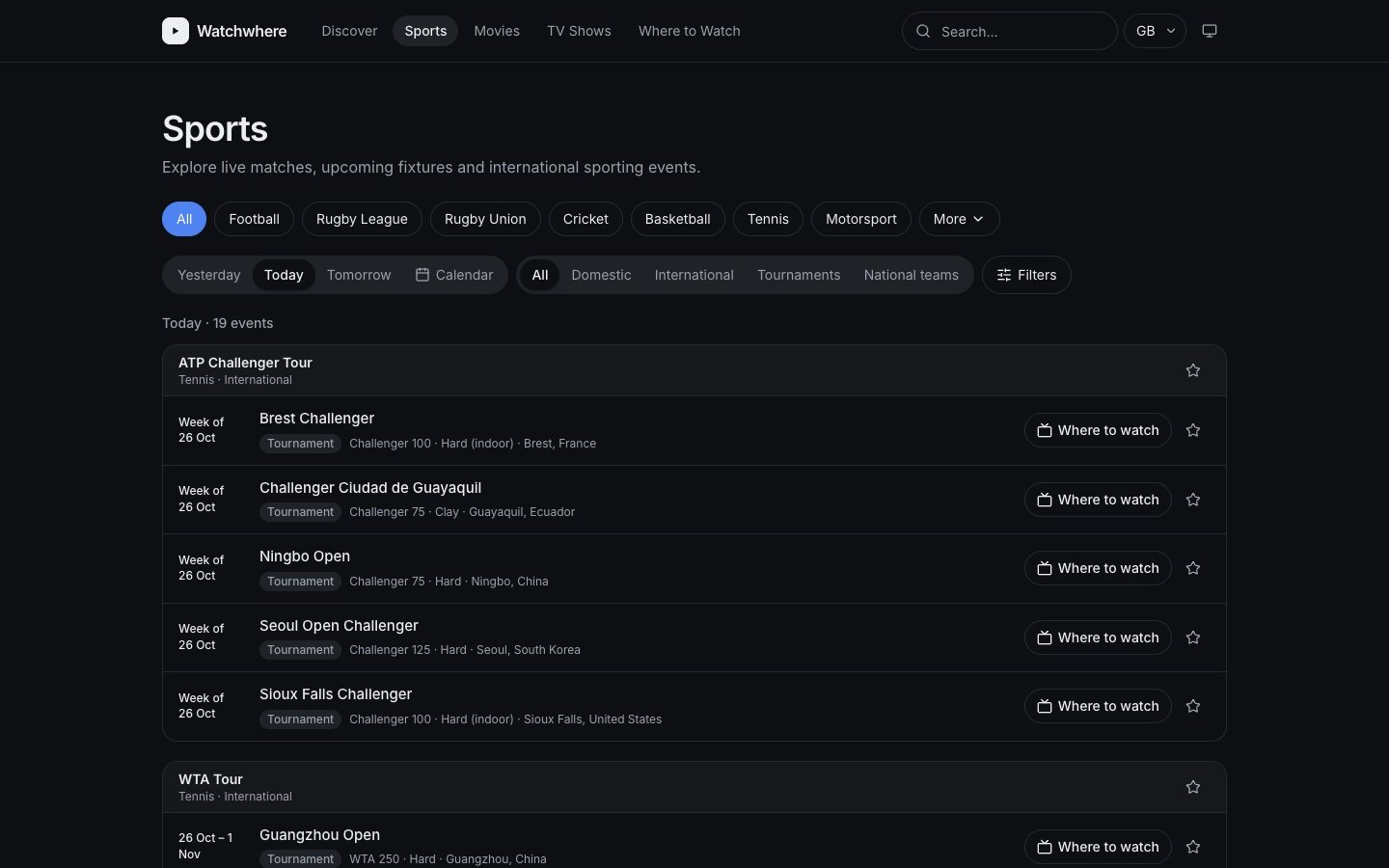
- Home: what's happening today
- What's on: only events with verified coverage in your country, filtered by sport, channel or streaming service
- Mobile: a bottom bar for Home, Sports, Discover, Saved and Search
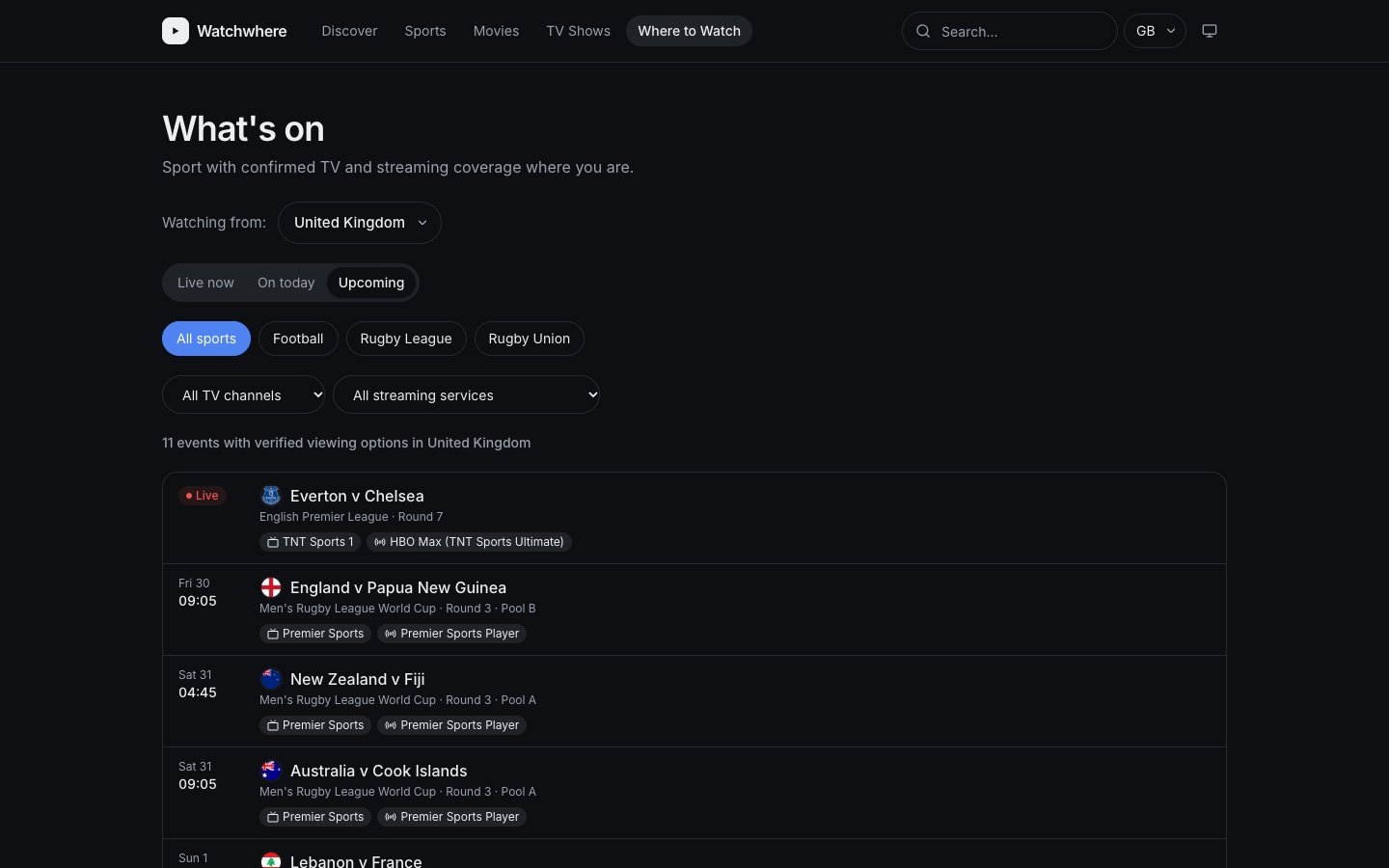 Click to enlarge
HomeLive sport, movies and TV in one place
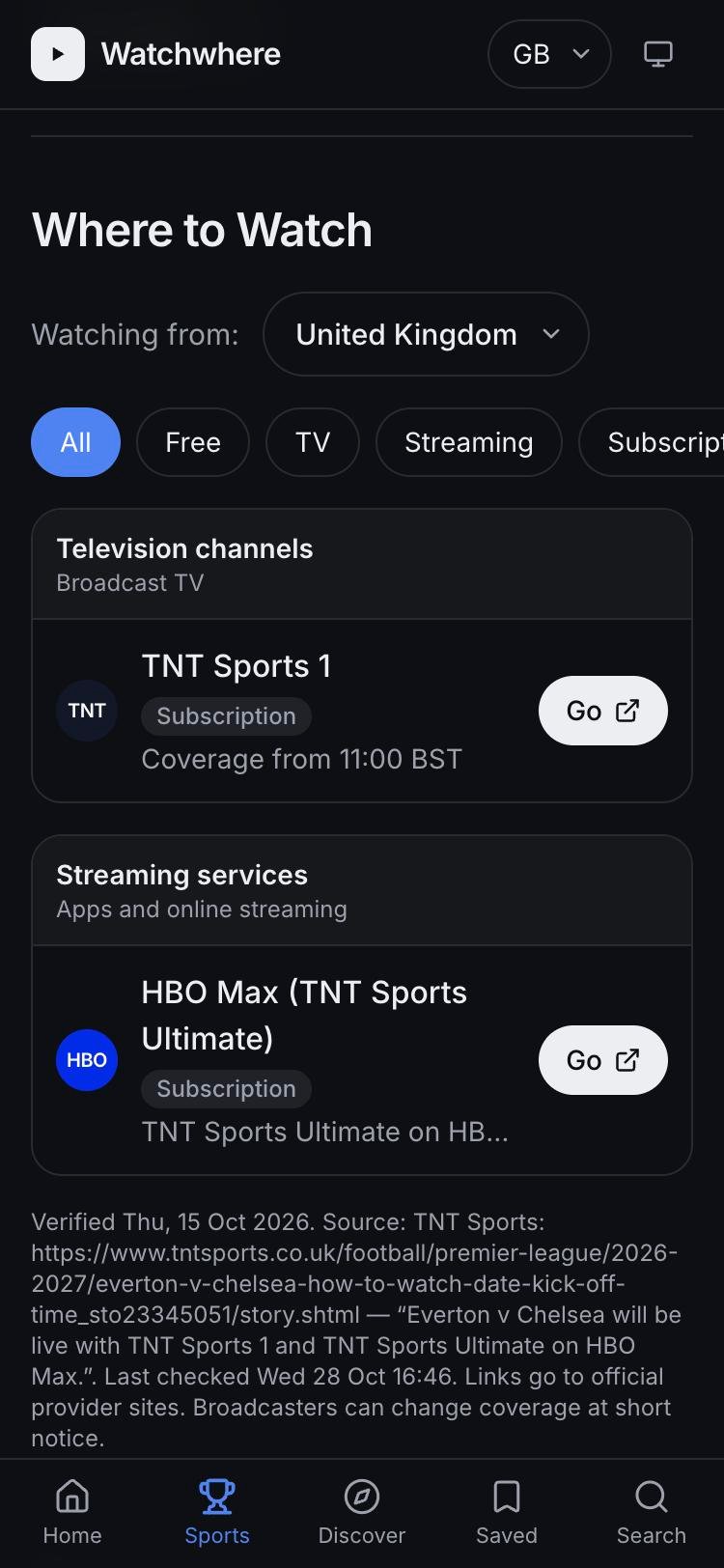
Where to watchEvery channel and app showing a match
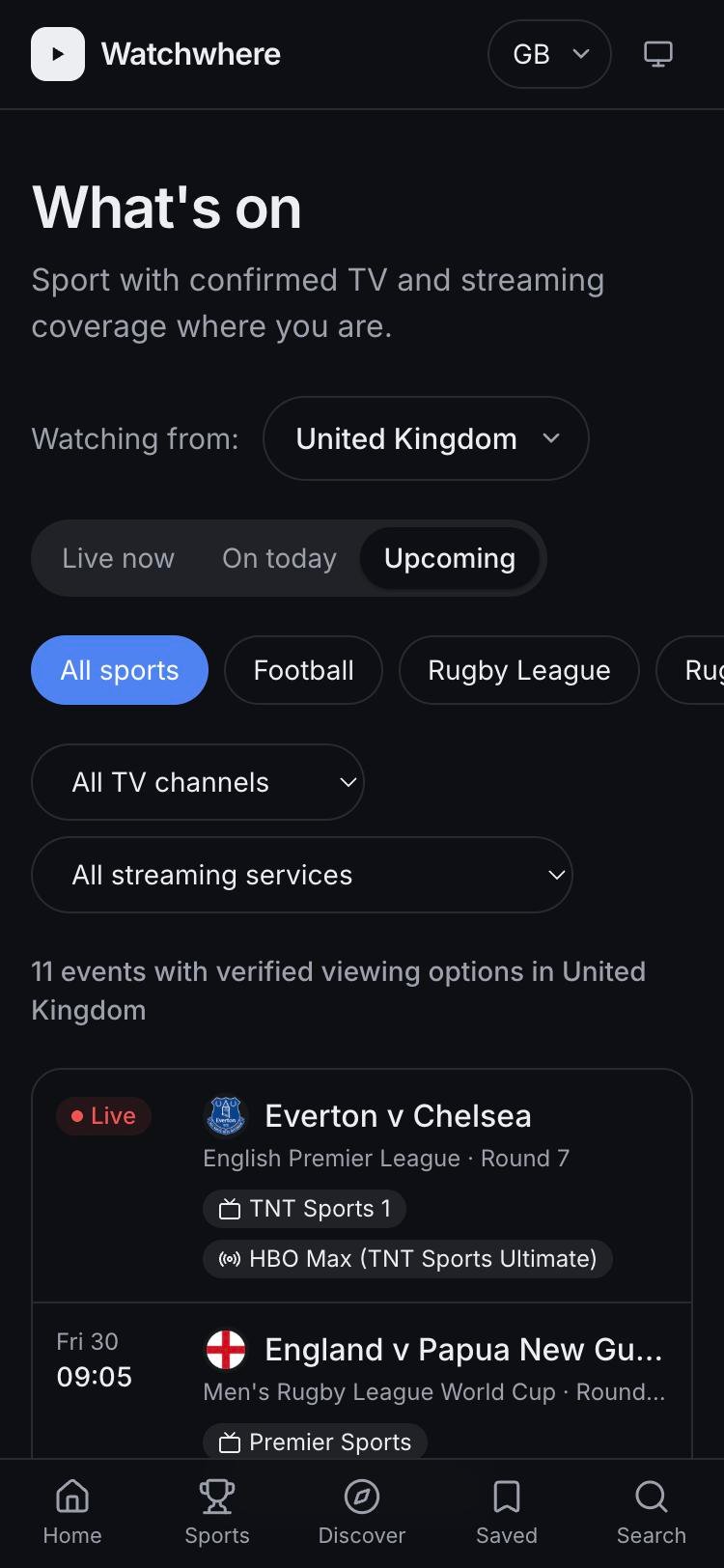
What's onUpcoming events you can watch where you are
Design system
A small design system for light and dark mode.
Built for light and dark
- Every colour has a light and a dark version, so the product switches modes in one step
- One font: Inter
- Layouts grow from one column on mobile to four on large screens
Calm, neutral surfaces
Surface
#FFFFFFbg#F7F8FAbg-subtle#EEF0F3bg-muted
Text & lines
#17191Dfg#68707Dfg-muted#E7E9EDborder#D5D9DFborder-strong
Accent
#2563EBaccent#1D4ED8accent-hover#EFF4FFaccent-soft
Status
#DC2626live#15803Dsuccess#ECFDF3success-soft#A15C07warn#FEF6E7warn-soft
The same tokens, re-tuned
Surface
#0E0F12bg#16181Cbg-subtle#1F2227bg-muted
Text & lines
#ECEEF2fg#9AA1ADfg-muted#262A30border#353A42border-strong
Accent
#4F83F1accent#6B97F4accent-hover#17223Aaccent-soft
Status
#F05252live#3FB877success#11251Asuccess-soft#E0A34Awarn#2A2010warn-soft
Heading
- Display60px / Semibold · 36px mobile
- Heading XL36px / Semibold · 30px mobile
- Heading L30px / Semibold
- Heading M24px / Semibold
- Heading S20px / Semibold
- Heading XS18px / Semibold
Body
- Body Large18px / Regular
- Body16px / Regular
- Body Small14px / Regular
- Body Small Medium14px / Medium
- Caption12px / Medium
Breakpoints
| Name | Width | Range |
|---|---|---|
| Base | 0 | < 640px |
| SM | 640 | 640–767px |
| MD | 768 | 768–1023px |
| LG | 1024 | ≥ 1024px |
Layout specs
0 1px 2px rgb(16 24 40 / .04), 0 1px 3px rgb(16 24 40 / .06)0 8px 24px rgb(16 24 40 / .08), 0 2px 6px rgb(16 24 40 / .04)0 1px 2px rgb(0 0 0 / .3)0 8px 24px rgb(0 0 0 / .4)Behind the scenes
Admin tools that keep the data accurate.
Behind the scenes
I designed the admin side so a small team can review data quickly and see who changed what.
Approve, reject or edit
Each pending listing shows the event, country, channel, source and a link to the broadcaster's schedule.
Who, when, before and after
Every change is recorded, so decisions can be traced and undone.
Manual edits are kept
An admin's change locks the field, so data imports can't overwrite it.
See the gaps
Reports by sport, competition, country and source show where coverage is thin.
Where it stands
Where it stands.
The latest numbers
Figures from the October 2026 coverage audit.
Known gaps
- Fixture data comes from a free test account, with only one or two games per league
- Several countries have no verified listings yet
- Commercial terms with data providers are not yet agreed
Reflections
What I learned.
AI speeds up prototyping
Claude Code turned weeks of work into days, so I could design with real data and edge cases much earlier.
Solving your own problem keeps focus
Because I had this problem myself, the core question was easy to keep in mind.
Talk to people early
Early calls showed others had the same problem, especially frequent travellers.
What's next
What's next.
Use the phone's location
With permission, update what's on and where to watch automatically as you travel.
Complete, licensed data
Move to paid fixture data and add a second source, so every league shows all its games.
Add movies and TV
Connect TMDB and JustWatch for titles and streaming availability.
Prepare for launch
Move to an online database and agree commercial terms with data providers.